
Shipped

KDS module

Kitchen display that makes the next action obvious, from new tickets to expo handoff.

KDS gives chefs and managers a live service board without losing the operational context from POS.

Shipped
1
Beta
2
Coming
0
Kitchen display overview
KDS overview

Capabilities

What this module covers today

Claims are tagged at the capability level so shipped, beta, and coming work stays honest as the product evolves.

  • Expo board

    Shipped

    Give expo a consolidated view of active tickets and handoffs.

  • Modifier visibility

    Beta

    Keep allergy, modifier, and prep details visible where the line needs them.

  • Course timing

    Beta

    Coordinate coursing and service pacing as table workflows mature.

Workflow stories

Where KDS shows up in the operating loop

These stories show how this module connects to the surrounding handoffs, data deltas, and live-demo screens.

Forecast signals

14-day par risk before service

Action recommended

Mozzarella below par

Forecast demand: 192 Margherita pizzas over the next 14 days.

12.4 lb short

On hand

12.4 lb

14-day par

25.0 lb

Suggested PO

80 lb

Linked recipe

Margherita pizza

Primary room

Cold Storage

Next step

Create PO #4471

Shipped

From Invoice to Margin

Follow one ingredient from low-stock signal to invoice match, receiving, menu sale, KDS fire, recipe depletion, and margin review.
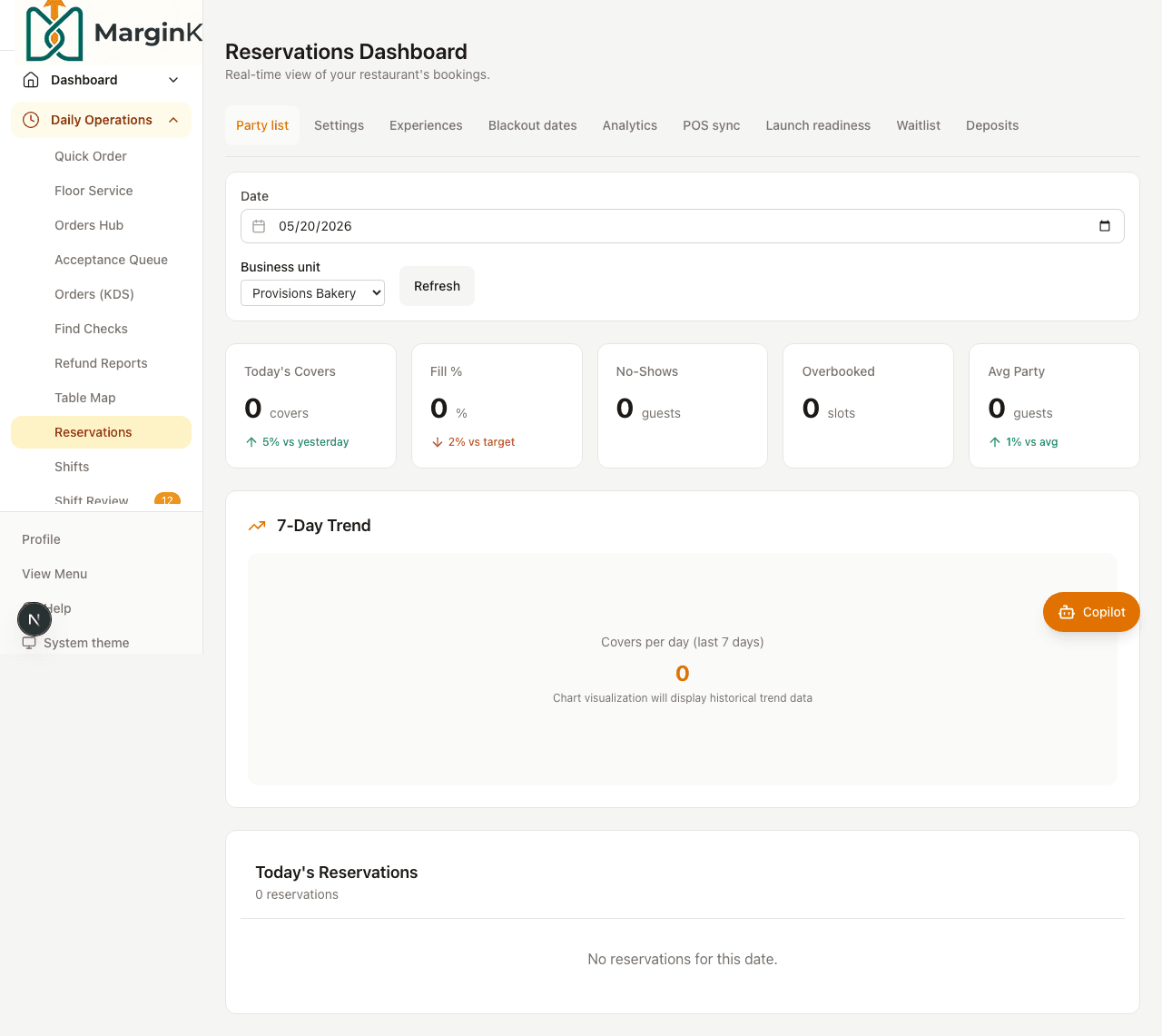
Reservation book with party and pacing context
Shipped

Guest Arrival to Goodbye

Follow a reservation from the book to host stand, guest-aware POS, kitchen timing, payment, loyalty, and post-visit follow-up.

Marketplace envelope

MKT-2048

Pickup in 18 min
Provider
Marketplace
Items
3 matched, 1 modifier
Fees
$5.12 captured
Customer note
Leave sauce on side
Shipped

Marketplace Order to Kitchen

Follow a marketplace order envelope through acceptance, menu mapping, KDS prep, guest tracking, payment audit, and reconciliation.

Demo seed screenshots

Screens captured from the live demo dataset

These images come from the demo Playwright screenshot workflow, not hand-curated mockups.

Kitchen display overview
KDS overview
Kitchen control board
Kitchen control
KDS alert state
Alert posture
Ticket bump workflow
Bump discipline

See the KDS module in context

Tell us what your operation looks like and we will tailor the walkthrough around this module.

No spam, no surprise sales sequence. Just a practical follow-up.